


Google Nano Banana 2 and Claude Memory Features Boost Your Efficiency
Did you know? Keeping track of the daily updates from major tech giants can sometimes feel overwhelming. However, today’s key announcements revolve around a very practical core concept: making tools more natural and understanding of you. We no longer need to adapt to machines; machines are proactively adapting to our working habits. Let’s look at what Google, Anthropic, and Perplexity have brought us that can be directly applied to our daily lives.
A Comprehensive Upgrade to Google’s Visual and Translation Experiences
To be honest, people are becoming increasingly picky about the speed of AI image generation. Even a slight delay can cause inspiration to fade. Google has officially launched the Nano Banana 2 image generation model. A common question is whether this model replaces the previous Pro version. It does, but it retains professional options. Built on the Gemini 3.1 Flash Image architecture, this new model boasts lightning-fast generation speed and highly precise instruction following. If you regularly need to produce high-quality visual assets but hate waiting, this will be an excellent choice. Users can now experience this efficient creative tool firsthand in the Gemini app, search engine, and AI Studio.
Speaking of which, foreign language communication is often full of elusive cultural nuances. If you are frequently confused by local slang, the all-new Google Translate update powered by Gemini technology will definitely catch your eye. The system can now provide more appropriate translation suggestions and vocabulary replacements based on the specific context of the conversation. Whether it’s formal business emails or casual chats with foreign friends, this system helps you nail the tone perfectly. It’s like carrying around a language consultant who is well-versed in various cultures.
For designers who stare at screens all day, fine-tuning interfaces is often an extremely tedious chore. The newly launched Direct Edits feature by Google Stitch is a massive boon. Sometimes we just want to fix a minor typo or simply replace a background image. Now, there is no need to go through the entire design process again; simply click on a specific area on the screen and ask the AI assistant to make local updates. This intuitive interaction makes the entire design polishing process exceptionally easy.
Claude Sees a Major Leap in Memory Capabilities and Gives Back to the Open Source Community
Next, let’s talk about Claude, a tool many people rely on daily. Anthropic’s latest update completely addresses the pain points of writers and developers.
Do you ever find it annoying to have to explain the project background every time you start a new conversation? The newly introduced Auto-memory feature by Claude completely solves this hassle. The system now remembers your project context, debugging habits, and even preferred solutions across sessions. The next time you want to resume a previous discussion, you don’t need to copy and paste the same prompt; just get straight to the point. It truly feels like having a personal assistant with a photographic memory.
Even better, features that many thought would require a paid subscription are now more accessible. Claude Connectors extensions are now officially available to free-tier users. Over 150 practical plugins cover various fields, including software development, data analysis, and visual design. This means you can visualize Figma architecture diagrams or quickly draft team messages to send to Slack directly within the chat window. The boost in work efficiency is very noticeable.
Beyond product evolution, Anthropic hasn’t forgotten to give back to the developer community. Maintaining open-source projects is often a thankless task, requiring immense effort without corresponding resources. The Claude for Open Source project support program introduced by Anthropic is a very heartwarming gesture. If you are a core maintainer of an open-source project with over 5,000 stars or a million monthly NPM downloads, and have continuous code commits or review records over the past 3 months, you can apply for up to six months of Claude Max 20x sponsorship. This is substantial and thoughtful encouragement for the unsung heroes who quietly support the software ecosystem.
Perplexity Open Sources Text Embedding Models
Finally, let’s look at the new moves from Perplexity, the rising star in the search engine field. They just open-sourced the new pplx-embed series of text embedding models. This series includes two different versions, pplx-embed-v1 and pplx-embed-context-v1, specifically optimized for large-scale information retrieval at web scale. The related model repositories are also directly available on the Hugging Face platform.
What are the benefits? For engineering teams needing to process massive text data or build Retrieval-Augmented Generation (RAG) systems, these lightweight and low-latency models offer a highly competitive new choice. They capture semantic connections between the lines more accurately, making search results align more closely with user intent.
Watching these tools step-by-step become smarter and more thoughtful, we can truly feel the convenience brought by technology slowly changing how we solve problems. Pick a few new features that help your work and try them out today.
Frequently Asked Questions (Q&A)
Q1: Since Google Nano Banana 2 replaces the original Pro version, can existing paid users still use it? A: Although Nano Banana 2 will replace the original model in the app, if you are a subscriber to Google AI Pro or Ultra, you can still retain access to Nano Banana Pro by clicking the “three-dot menu” to regenerate images for specific professional tasks.
Q2: Is the new Google Translate feature combined with Gemini available now? A: Currently, this new feature providing context and vocabulary replacement has been launched on the Android and iOS translation apps in the US and India, and will soon support the web version.
Q3: How exactly do I operate Google Stitch’s Direct Edits? A: The official guide provides three very intuitive ways to access it: 1. Select a screen area and click the “Edit” dropdown menu; 2. Click the edit tool directly from the global toolbar; 3. Double-click the screen area consecutively to center it, then double-click again to enter direct edit mode.
Q4: If my open-source project hasn’t reached the 5,000 stars or million downloads threshold, can I still apply for Claude’s open-source support program? A: Yes! The official statement specifically mentions that even if you don’t fully meet these hard metrics, but your maintained project is a crucial cornerstone silently relied upon by the entire ecosystem, Anthropic still welcomes you to submit an application and share your story.
Q5: What specific specifications are available for Perplexity’s open-sourced pplx-embed models? A: Both the released pplx-embed-v1 and pplx-embed-context-v1 offer two sizes: 0.6B (600 million) and 4B (4 billion) parameters. The 0.6B version focuses on being lightweight and low latency, while the 4B version maximizes retrieval quality; both natively support INT8 and binary formats, significantly reducing storage costs by 4 to 32 times.
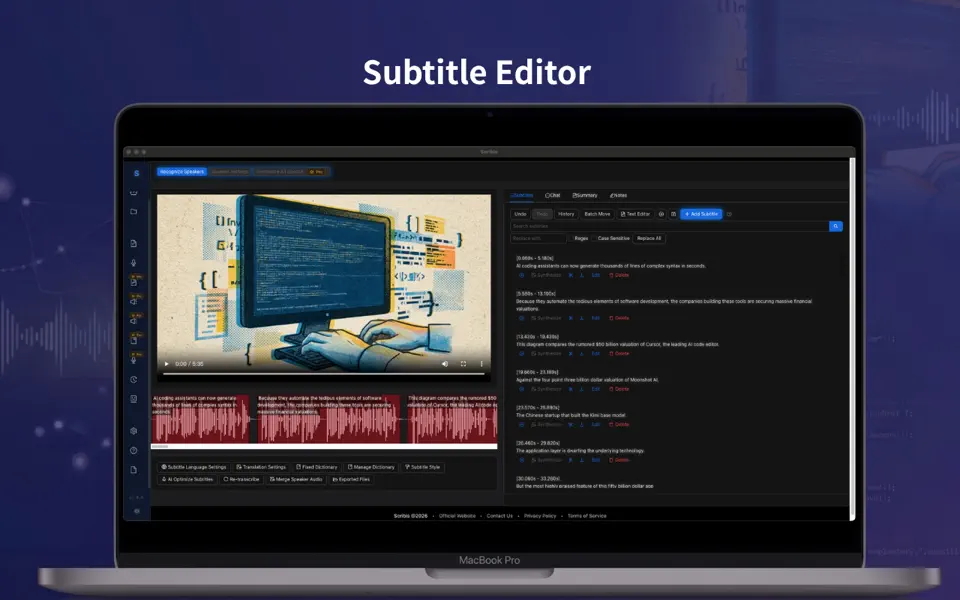
scribis.app
Scribis: Subtitle editing, audio transcription, and live transcription.
Learn More
videoweaver.app
Video Weaver: Professional video editing directly in your browser. No downloads required.
Learn Morescribis.app
Scribis: Subtitle editing, audio transcription, and live transcription.
Learn Morevideoweaver.app
Video Weaver: Professional video editing directly in your browser. No downloads required.
Learn More