


Gemini Desktop on Mac and the Revolution of Next-Gen Dev Tools
The pace of technological advancement is breathtaking. Today’s updates range from desktop assistant tools for general consumers to development environment upgrades for professional engineers. The boundaries between various tools are blurring, making them more integrated into daily workflows.
Gemini Native App Officially Lands on Mac Desktop
The feature Apple users have been waiting for is finally here. Google has announced the arrival of the Gemini desktop app for Mac, providing a native experience. Previously, switching browser tabs was a constant distraction. It might seem like a small annoyance, but it adds up to a significant drain on focus. Now, with the Option + Space shortcut, you can summon your AI assistant at any time.
This update brings immense convenience. Users can directly share complex charts or local files from their screen with Gemini, or even ask it to summarize the current window. Whether you’re writing a market report and need to verify dates or handling spreadsheet formulas, the transition is seamless. Additionally, this native app integrates Nano Banana image generation and Veo video generation technologies. Users aged 13 and older on macOS 15 or later can now download and experience this feature for free.
Gemini 3.1 Flash TTS Showcases Vivid Voice Performance
Speech synthesis technology has taken another giant leap forward. Google’s latest Gemini 3.1 Flash TTS voice model scored a high 1,211 on the Artificial Analysis leaderboard, which ranks human blind-test preferences. This technology supports over 70 languages, helping developers create globalized voice applications.
The most attractive part of this technology is the introduction of the new “audio tags” mechanism. Users can use natural language commands to precisely control speed, tone, and expression. Imagine adding simple prompts to text, and the AI can suddenly switch to a whisper mid-sentence or express a panicked tone. To ensure the safety of information delivery, all generated audio includes a built-in SynthID invisible watermark.
Windsurf 2.0 Joins Forces with Devin Toward Fully Automated Development
The way developers work is undergoing a major overhaul. Did you know? Top engineers no longer just do pair programming with a single AI. They are managing dozens of AI agents simultaneously. To solve the chaos of managing multiple agents, Windsurf 2.0 introduces an Agent Command Center and Devin integration.
This new command center features a visual Kanban board design. This allows engineers to clearly see which agent is processing APIs, which is stuck, and which is ready for code review. Most impressive is the inclusion of Devin, a cloud-based autonomous agent. Devin has its own virtual machine and browser. While an engineer closes their laptop to grab a coffee, Devin continues to perform tests and deployments in the cloud. Through the “Spaces” feature, project context is fully preserved across every session, making task switching effortless.
Cursor Launches Canvas Visual Interaction Interface
Speaking of development tools, another popular editor has brought a visual breakthrough. Plain text and Markdown tables can sometimes be hard to digest. Cursor’s Canvas feature completely solves this pain point. This new feature allows AI agents to use native React components to render charts, dashboards, and to-do lists within the editor.
When engineers are dealing with large-scale code changes, traditional tools can be overwhelming. Now, Canvas can logically categorize changes, highlighting parts that most need human review. This is undoubtedly a boon for development teams that need to analyze large amounts of data or evaluate model test results. Users can interact directly with these visual interfaces, significantly lowering the barrier to understanding complex information.
OpenRouter Now Fully Supports Video Generation API
Integration of application programming interfaces is also becoming more comprehensive. Developers can now easily access various generative technologies through a single channel. The latest progress is that OpenRouter has officially launched video generation features. This means developers only need to connect to one API service to simultaneously call top-tier text, image, audio, embedding, reranker, and video models. This one-stop service architecture makes the development process of multimodal applications much simpler.
Gemini API Introduces Prepay Billing Mode
Cloud service bills can sometimes bring unexpected “surprises.” To address this concern, Google has launched a prepay mode for the Gemini API for developers. This system allows users to purchase credits in advance within Google AI Studio.
Budget management is now more transparent. When the balance is low, the system also supports an auto-recharge feature. This mechanism ensures project continuity while avoiding unpredictable bills at the end of the month. Currently, this service is first available to new Google Cloud Billing Accounts in the U.S. that have enabled the Gemini API, with a global rollout expected in the coming weeks.
Claude Introduces Identity Verification Mechanism
As AI capabilities become more powerful, security and compliance have become indispensable. Anthropic is gradually implementing Claude identity verification for specific use cases. This change is designed to prevent malicious abuse and enforce platform safety policies.
Users may need to provide physical photo IDs issued by the government and take a selfie through a phone or computer camera when accessing certain features. Many may worry about privacy. On this point, Anthropic emphasizes that verification data will be handled by partner Persona and will be encrypted throughout the process.
Readers might wonder what to do if verification fails? The system usually provides multiple attempts; it’s recommended to retake the photo in a well-lit area or try a different ID. If an account is blocked for violating terms of service, users can also file an appeal via a form. Most importantly, the official promise is that this identity data will only be used for identity confirmation and fraud prevention and will never be shared with third parties for marketing or advertising.
Q&A
Q1: Are there any system requirements for using the Gemini desktop app on Mac? How can I quickly call it? A1: Currently, this native app is free for users on macOS 15 and above (and aged 13+). After installation, just press the Option + Space shortcut to call the Gemini assistant at any time on any screen, without interrupting your workflow to switch windows.
Q2: What is the purpose of the “audio tags” feature in Gemini 3.1 Flash TTS? Is the generated voice safe? A2: “Audio tags” allow developers to finely control speed, tone, and expression through natural language commands, such as setting dialogue scenes, specifying speaker accents, or even changing expressions and tones in real-time mid-sentence. Regarding safety, all generated audio includes a built-in SynthID invisible watermark, which effectively helps detect AI-generated content and prevent misinformation.
Q3: What are the unique advantages of the Devin agent in Windsurf 2.0? A3: Devin is a cloud-based autonomous software engineering agent that can handle complex tasks end-to-end. It has its own dedicated virtual machine, desktop, and browser, meaning that after you assign a task to Devin locally, it can continue debugging, testing, and deploying in the cloud even if you close your laptop.
Q4: How does Cursor’s Canvas feature improve the visual experience for engineers? A4: Canvas allows AI agents to use native React components to render visual content within the editor. For example, when reviewing large-scale code changes, Canvas can logically group changes and highlight key points; when analyzing debugging data, it can also integrate data from multiple sources into interactive charts or dashboards, significantly replacing the hard-to-read plain text or Markdown tables of the past.
Q5: Which generative models does the latest OpenRouter API integrate? A5: OpenRouter has officially launched video generation features. Now, developers only need to connect to one API to access top-tier text, image, audio, embeddings, rerankers, and video models.
Q6: Who can currently use the Gemini API’s prepay billing mode? A6: Currently, the prepay billing mode is first available to new Google Cloud Billing Accounts in the U.S. that have enabled the Gemini API, with a global rollout expected in the coming weeks.
Q7: Is there a risk of privacy leakage with Claude’s identity verification? A7: Anthropic has designed strict privacy protection mechanisms. Verification data is handled by partner Persona, and transmission and storage are encrypted throughout. The official commitment is that verification only collects the minimum necessary information, and this data will never be used to train models or be shared with any third party for marketing.

videoweaver.app
Video Weaver: Professional video editing directly in your browser. No downloads required.
Learn More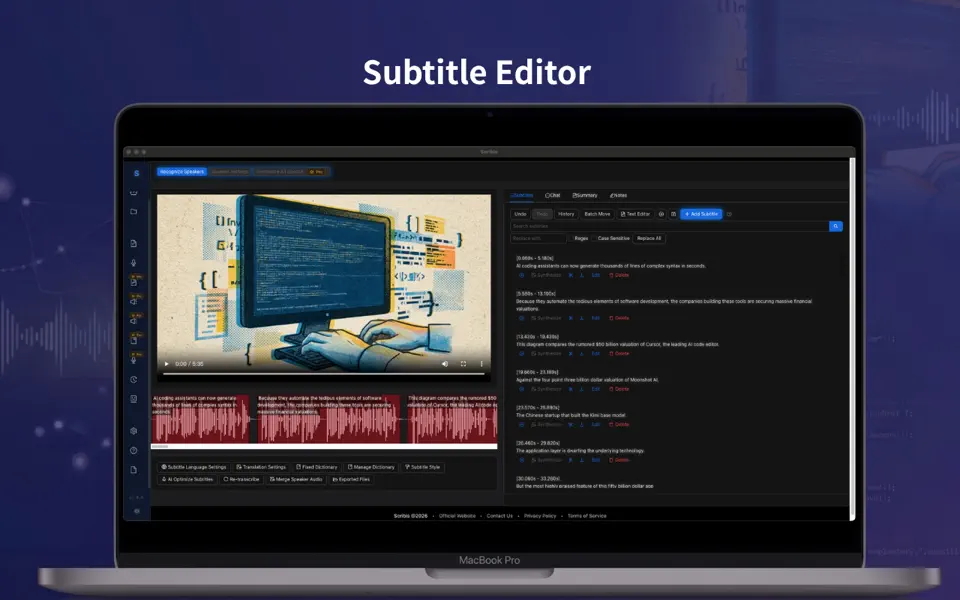
scribis.app
Scribis: Subtitle editing, audio transcription, and live transcription.
Learn Morevideoweaver.app
Video Weaver: Professional video editing directly in your browser. No downloads required.
Learn Morescribis.app
Scribis: Subtitle editing, audio transcription, and live transcription.
Learn More